




DewesoftX 2026.3 Release - DewesoftRT, New UI and Hearing Model Tonality
November 5, 2026
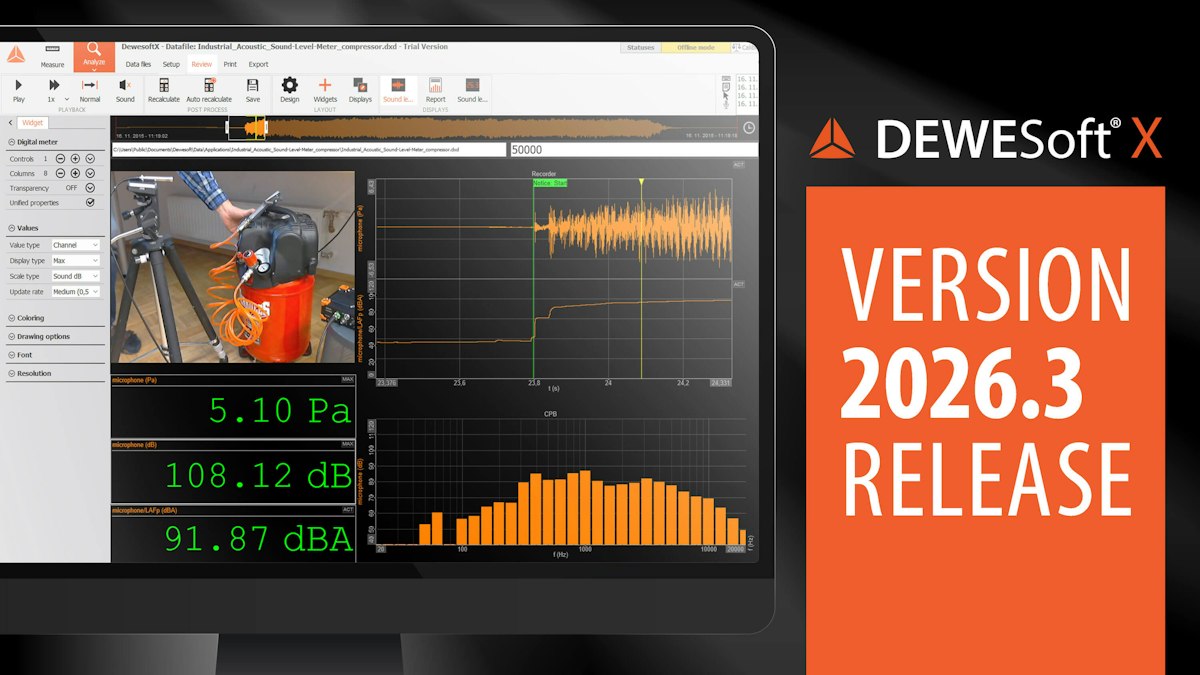
We are excited to announce the release of DewesoftX 2026.3, packed with powerful new features and enhancements. The 2026.3 version introduces standalone operation on all our embedded devices, powered by DewesoftRT. It also brings a refreshed and improved user interface, a major upgrade to Sound Quality in the form of Hearing Model Tonality, native dB display on the Digital Meter widget, and video storage in MP4 format.
Explore the What's New section and dive deep into other updates in this exciting new version.
TL;DR
DewesoftRT: New features across embedded devices
DewesoftRT powers standalone operation on IOLITE X, SIRIUS X, SIRIUS XHS, and OBSIDIAN devices.
This official release brings edge computing capabilities to these devices, with improved performance, enhanced data recording, embedded processing, and a wide range of supported communication protocols, allowing devices to operate independently without requiring a continuously connected PC.


DewesoftRT storing module
Record data simultaneously into *.dxd, *.csv, and *.ch10 formats using multiple storing modules. This is ideal for continuous statistical logging alongside triggered full-rate recordings.
Recorded files can be automatically transferred to remote servers for further analysis using SFTP connection.


DewesoftRT math module
Perform embedded calculations such as Formula, Basic Statistics, Integration/Derivation, AC/DC Power Analysis and Strain Rosette. Create complex, reusable formulas for different input signals and link calculated results to the Alarm module to trigger physical digital outputs.


DewesoftRT communication module
Supported communication protocols include bidirectional CAN, Modbus (TCP/IP and RTU), XCP Slave, and OPC UA Server, enabling easy integration with PLCs, automation systems, and third-party applications.
The new Historian Publisher and Subscriber functionality enables integration with Dewesoft Monitoring solutions, automatically transferring data to a database that can be visualized and analyzed through the new DewesoftH web interface.


openDAQ everywhere
All embedded devices now run openDAQ, making them compatible with any openDAQ client. In this release, the main focus was improving the user experience in DewesoftX and DewesoftM, enabling flexible device configuration and data access.
While you can already develop your own openDAQ clients using Python, C++, or environments like LabVIEW, upcoming releases will make this process even easier.
We are also introducing the DewesoftRT MCP Server, which enables AI-assisted device management and access to technical documentation through compatible AI assistants.
DewesoftRT firmware upgrade
To use your edge DAQ device with DewesoftX 2026.3, you must upgrade it to the firmware included in this release. Older firmware versions are not compatible. The upgrade also gives you access to these new features.
The new firmware introduces on-device DewesoftRT licensing for embedded functionality. OBSIDIAN devices include the RT Professional license by default, providing embedded recording, basic calculations, and all features available in previous DewesoftRT versions. Other device families require additional licenses for embedded functionality.
Please check the available DewesoftRT license options before upgrading.
Explore more about DewesoftRT

Updated user interface and user experience
New version, new look!
The DewesoftX 2026.3 brings a comprehensively updated user interface and an improved user experience across multiple segments. UIX is upgraded to make your work more intuitive and efficient.
Redesigned grids
Grids are where you spend most of your time, so we rebuilt how they look and feel. The new design applies to every grid in the software.
The glossy, gradient-filled cells and buttons are gone. Grids now have a flat, cleaner look.
The row under your cursor highlights as you move, which makes wide grids easier to follow.
Used/Unused is now a toggle switch, and checkboxes, buttons, and tags have been redrawn in the same style.
One set of colors everywhere. Warnings, errors, and OK states now use the same colors in grids, status bars, and notifications, so a color means the same thing wherever you see it.


Standalone device view changes
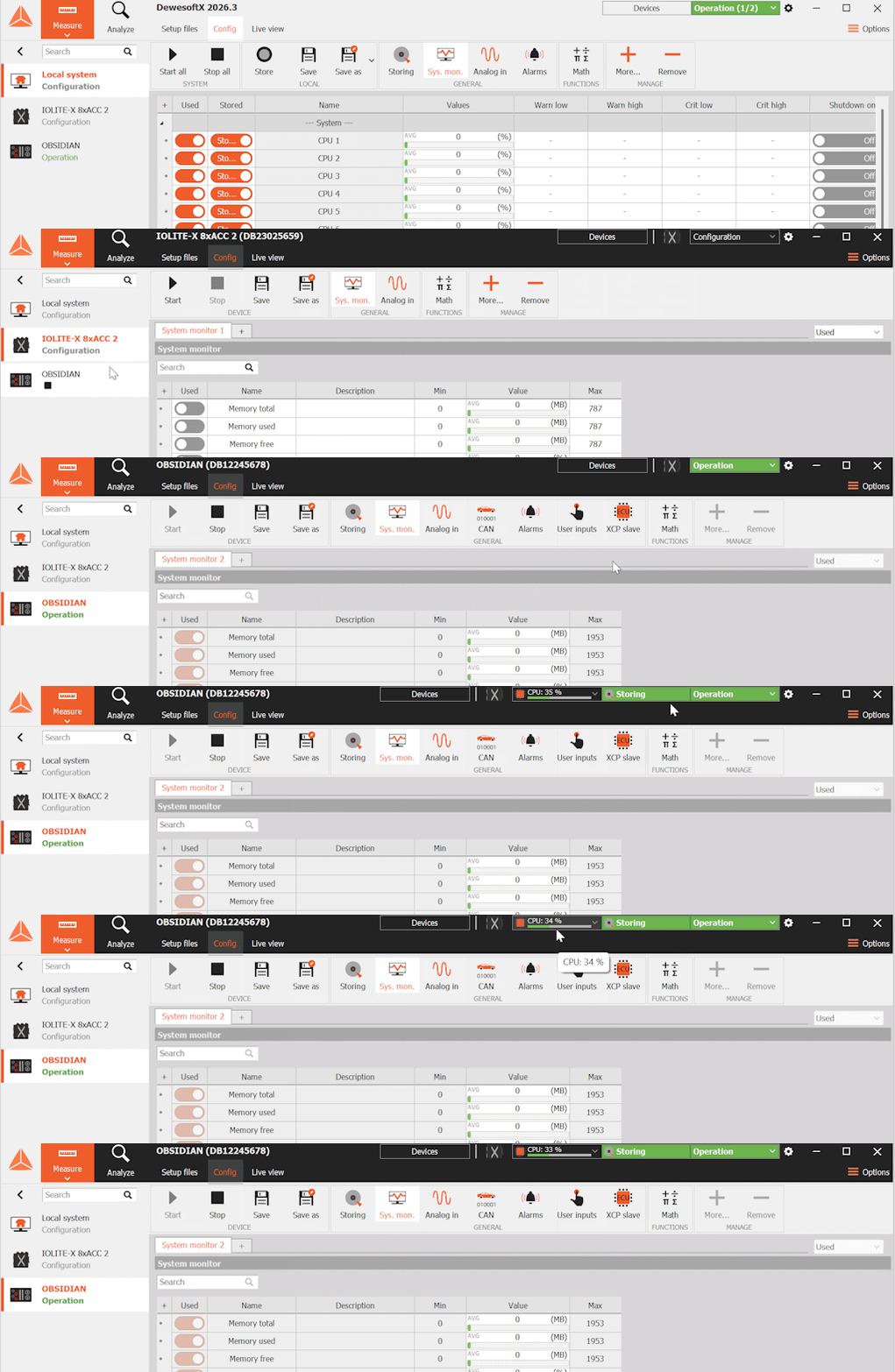
You can set up standalone devices from your PC or directly on the device by selecting it in the sidebar. This release makes it clearer which of the two you are looking at.
The device sidebar has been redesigned and now stays pinned beside your setup when expanded. On larger systems, you can search it to find a device quickly, and subdevices are shown under their parent. Hover over a device to see its key details, including firmware and the sample rates of its subdevices, without opening its setup.
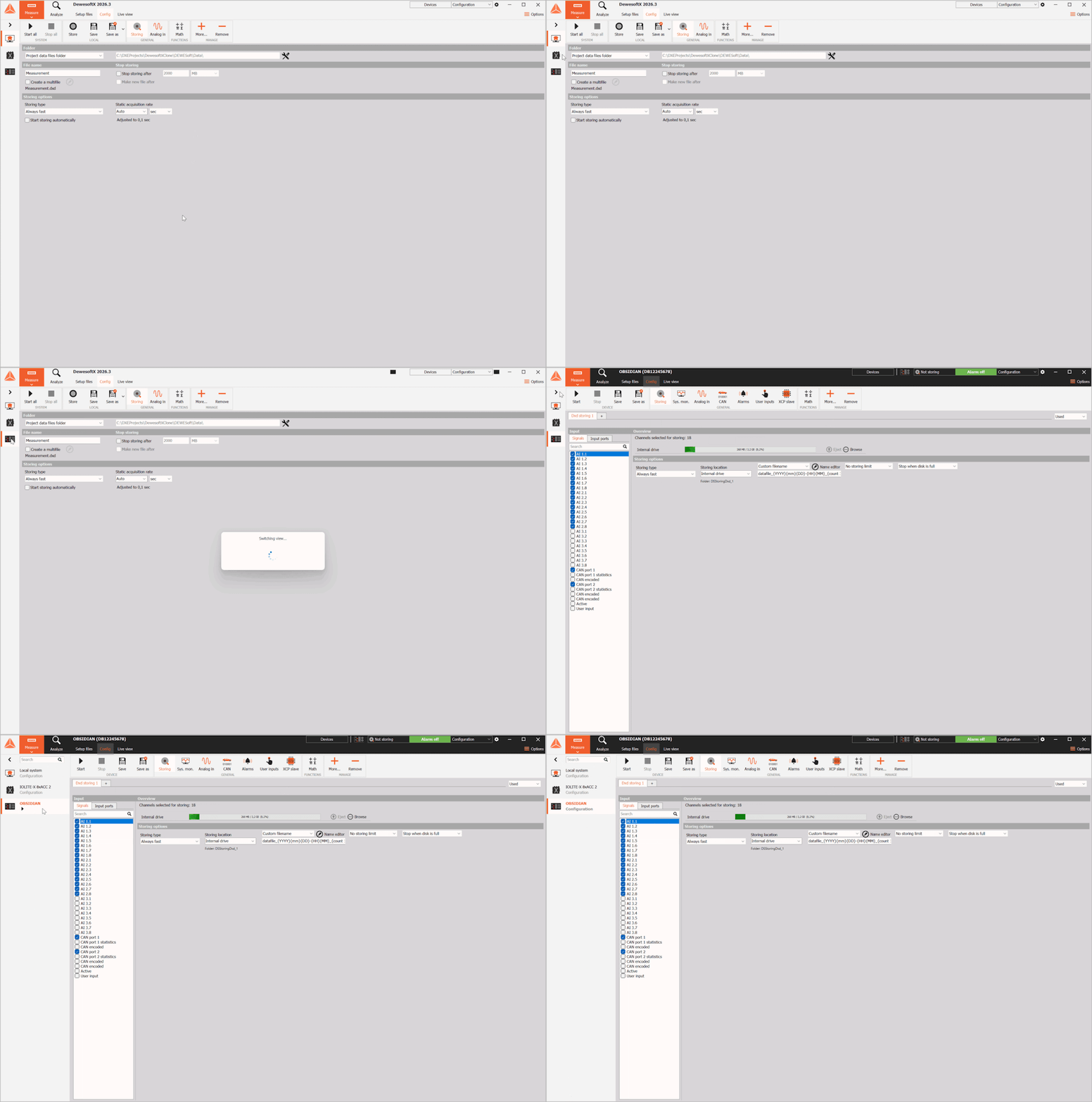
When you switch to a device view, the storing status and system monitor now show only that device's state, not your PC's. A separate device status bar shows each device's state, and the new Start all and Stop all buttons let you control the local system and all connected devices from one place.
Synchronization
Setting up complex multi-device measurements is now significantly easier. Synchronization now has its own dedicated tab in the Settings menu, with a completely redesigned interface.


The new Synchronization Diagram displays how your devices are connected and synchronized, making it easier to understand the setup and pinpoint any errors.
The improved Auto Resolve removes the guesswork from configuration. It automatically finds the best synchronization configurations, prioritizes accuracy, and reduces manual setup time.
The result? Faster setup, fewer errors, and a clearer overview of your measurement system.
Sound quality: hearing model tonality
The whining noise of an electric motor or gearbox, the booming sound of a heat pump, or the shrill noise of a household appliance: tonal noise components significantly affect perceived product sound quality.
While tones can often be identified as peaks in a frequency spectrum, the real question is: When does the human ear actually perceive a sound as tonal? When is a tone masked by background noise? And when comparing complex sounds, which one do we perceive as more tonal? Hearing Model Tonality provides the answers: a psychoacoustic calculation method standardized in ECMA-418-2 and now integrated into the DewesoftX Sound Quality module.
Based on a model of human auditory perception, the method provides a single value describing the overall perceived tonality of a sound. For time-varying sounds, tonality versus time reveals when tonal components become prominent, while tonality versus frequency helps identify the frequencies responsible for the perceived tonal character.
With Hearing Model Tonality, DewesoftX enables engineers to go beyond conventional spectral analysis, better understand how sounds are perceived, and identify the root causes of unwanted tonal noise.


The example illustrates how the human perception of a 1 kHz tone changes as the level of the masking white noise increases. In the FFT analysis, the tone appears as a continuous red line, whereas the tonality analysis shows a steady decrease.
Digital meter: dB data presentation
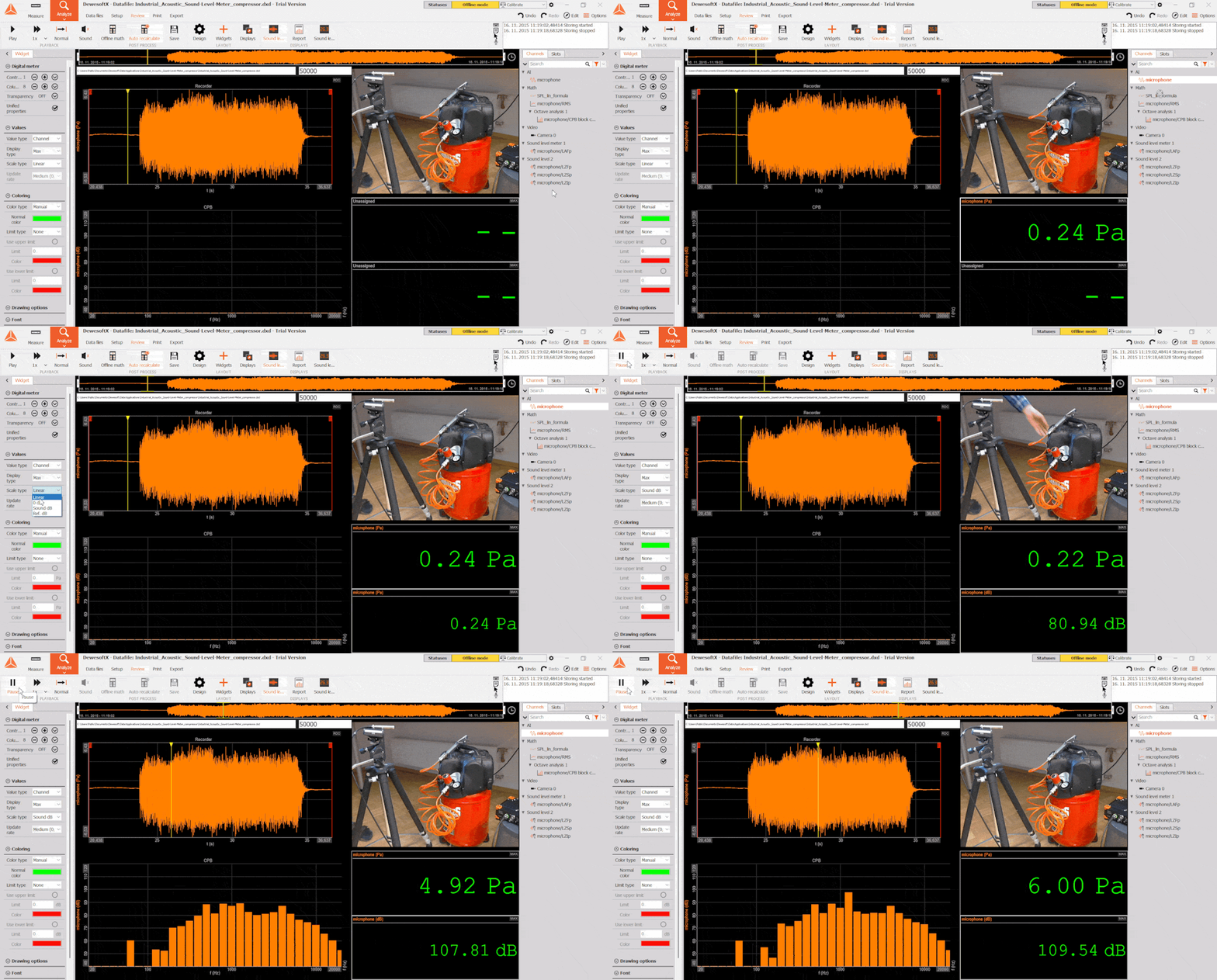
When measuring signals across wide dynamic ranges, such as in acoustics, sound pressure, or vibration testing, logarithmic scaling provides the clearest picture. You can now display values directly in decibels on the Digital Meter widget, removing the need for dedicated math channels.
Setup is effortless - simply choose one of the dB scale types in the widget properties menu. Choose 0 dB to scale relative to the channel's maximum input for quick noise-floor estimation, Sound dB to automatically apply the standard 20 µPa reference for instant sound pressure level (SPL) readouts, or Ref. dB to define a custom reference value for vibration, voltage, or specialized sensors. You can also modify the update rate to smooth out high-frequency transients, keeping dynamic readouts stable and easy to read.
MP4 format support for video streams
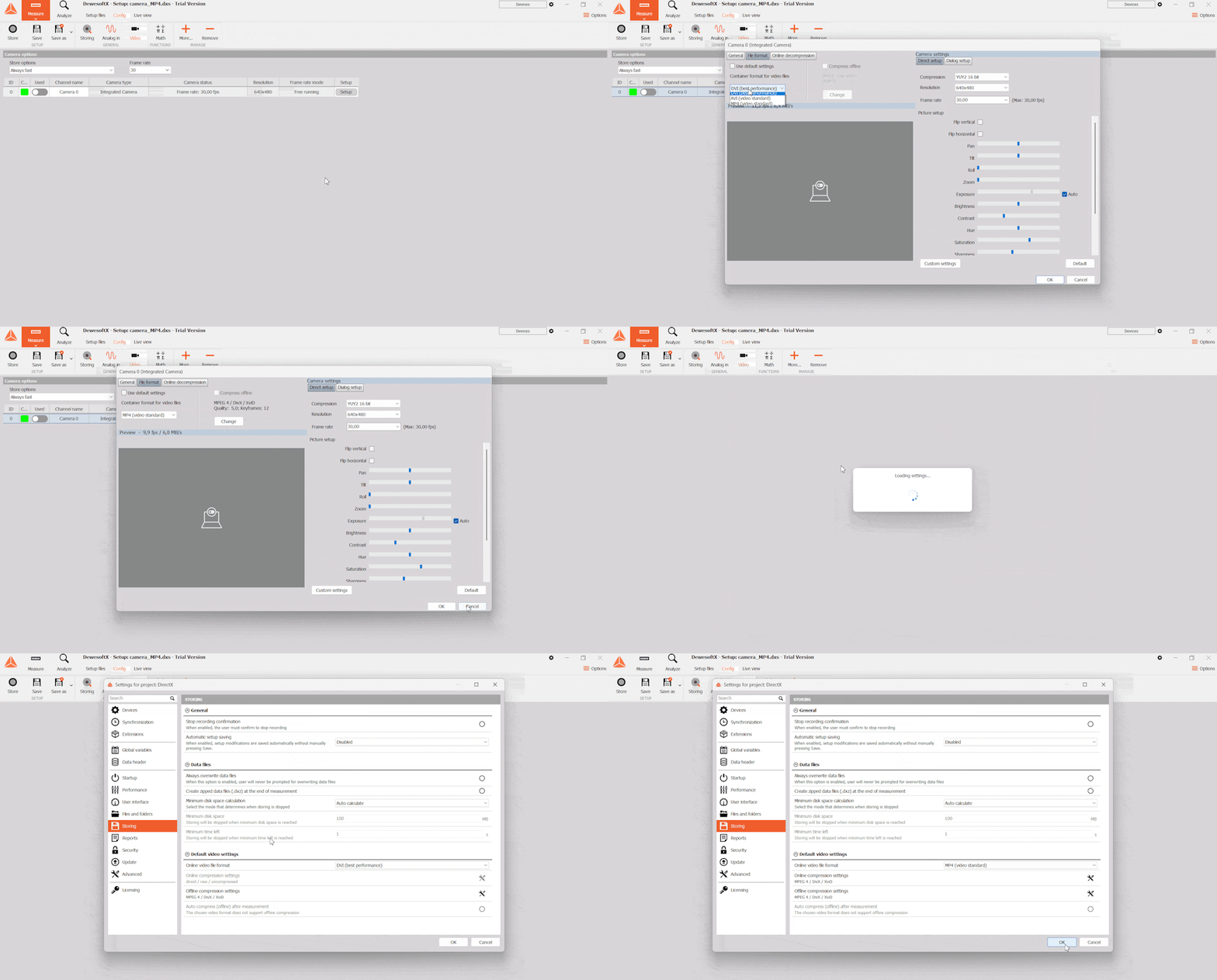
Synchronized video provides vital visual context during testing, and DewesoftX now supports storing video streams in MP4 format.
Configuration is fast and flexible: you can select MP4 for an individual camera stream directly in its channel settings or set it as default for all recordings. Along with effortless setup, it provides smaller file sizes while preserving crisp visual detail, allowing you to drag and drop synchronized clips directly into reports and presentations with zero transcoding required.
What else is new?
You will find additional details about all features listed below on Dewesoft’s Engineering Support Portal:
Dewesoft 2026.3 now also supports the SIRIUSr-HD-16xSTGS-L1B7f front option, the SIRIUS ACC DualCore with 10 mHz high-pass filter option, and the PTPv2 synchronization mechanism with XTSS integration for SIRIUS-R8 systems.
The Sound Power module now supports ISO 3747 dedicated flow, enabling sound power level determination using the comparison method in reverberant environments. This enhancement expands existing sound power measurement capabilities, providing greater flexibility for acoustic testing in real-world conditions, such as evaluating sound power emissions from data centers and assessing their potential impact on environmental noise.
The Power Module now includes five new calculations. Induction motor slip, torque ripple, direct current ripple, voltage change events according to IEC 61000-4-15, and sliding total harmonic distortion. Slip and torque ripple support motor analysis, motor model validation, and motor control tuning for electric drives. Torque ripple can be calculated per calculation interval or per shaft revolution. Direct current ripple checks the quality of direct current links in inverters, battery systems, electric vehicle chargers and photovoltaic strings. Voltage change events are characterized by d(t), dc, dmax, and t33, which are the quantities needed to test equipment emissions to IEC 61000-3-3 and IEC 61000-3-11. Sliding total harmonic distortion of voltage and current follows the FNN guidelines. It is updated every millisecond over a 40-millisecond window, so it shows short distortion bursts during switching, converter start-up, load steps, and grid faults that the standard 200-millisecond evaluation smooths out.
Scaling Module now supports array channels to be assigned as inputs, such as outputs from FFT or Octave Analysis.
Tracking filter math now supports channels with sample rate divider assigned as inputs.
CEA now supports custom gear tooth wheels as an angle input and per-cycle statistics in the “No engine” (angle resampling) calculation mode.
CAN module transmit messages can now be generated automatically from channels in other modules; message time shift is also supported in Analyze mode, and NMEA 2000 messages can be generated automatically from vessel parameters such as the number of engines (requires an additional license).
You can now merge Fast on trigger and Slow otherwise data files using the Data Merger
Expressions now support reading complex channel values and vector values. You can also reference signals by their index.
You can now edit keyboard events in Analyze mode.
Array channels can now be used as Global Variables.
In the Sequencer, the IF block uses different colors for its output lines: green for Yes (True) and red for No (False).
DewesoftX 2026.3 is a free upgrade for all Dewesoft customers and is compatible with all Dewesoft data acquisition systems.
You can download the upgrade installer and see the complete changelog in our download center.